

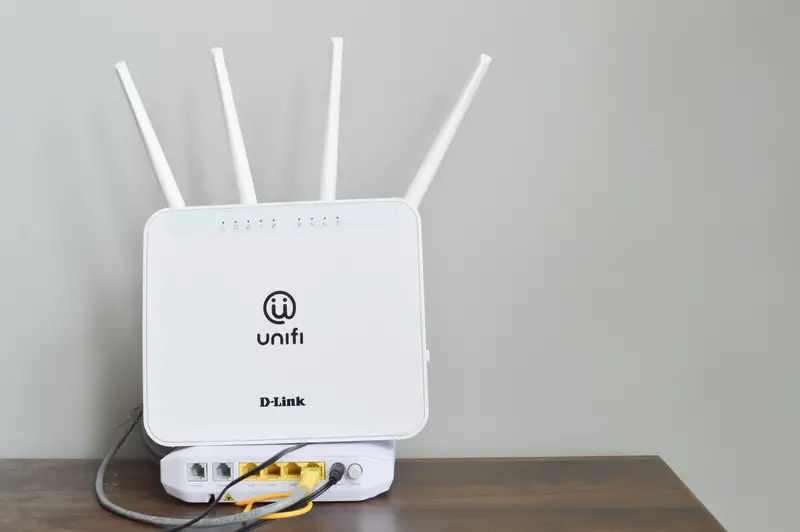
Here’s something that took me way too long to figure out: the reason your WiFi keeps buffering in the back bedroom probably has nothing to do with your internet plan. You could pay for the fastest speed your provider offers, buy the priciest router at Best Buy, and still get a spinning wheel of death every time you try to stream a show. The real culprit is usually where that little box is sitting right now. Turns out the physical spot you pick is the biggest thing affecting your coverage, and most of us pick a terrible one.
Let me walk you through the five worst places to stick a router, plus a few surprising facts about what’s quietly wrecking your signal. Some of these made me get up and move mine halfway through writing this.
1. The Basement, Because That’s Where The Cable Comes In
This one gets almost everybody. The cable enters your house down in the basement, so you plug the router in right there and forget about it. Makes sense, right? Except you just buried your signal underground. Concrete foundations, metal ductwork, and every floor above it act like a stack of blockers your WiFi has to punch through. The folks at Linksys straight up call the basement the worst place you can put a router.
Here’s a number that stuck with me: WiFi loses somewhere between 10 and 15 dB of strength for every floor it has to travel through, depending on how your home is built. So if your router lives in the basement and your bedroom is on the second floor, that signal is crawling through concrete, then a living room floor, then a hallway, then more walls before it ever reaches your phone. No wonder it’s dead by the time it gets there. The fix is not exciting but it works: run an Ethernet cable up to a more central room, or grab a mesh system with nodes on each level.
2. Hidden Inside A Cabinet Or Entertainment Center
I get it. Routers are ugly. They look like a plastic spider with too many legs, and nobody wants that thing sitting out in the living room. So we shove it in a media console, behind the TV, or inside a cabinet with the doors closed. Feels tidy. It’s also one of the most common mistakes people make.
Two things are happening in there. First, those solid wood or metal cabinet doors are basically walls. They soak up the radio waves before the signal ever escapes into the room. One breakdown I read put the loss from a closed cabinet at 5 to 10 dB, which is a big chunk of your coverage gone for the sake of looks. Second, routers run warm on purpose, and cramming one into a tight, closed-up space traps all that heat. Trapped heat means slower speeds, random disconnects, and a router that dies years earlier than it should. And putting it right behind a big flat-screen? The TV’s metal and electronics scramble the signal too. If you want the router hidden, put it on an open shelf, not sealed inside a box.
3. Sitting On The Floor
This is where a lot of routers end up because that’s where the outlet is and the cord is short. Bad idea. Most home routers use what are called omnidirectional antennas, which is a fancy way of saying they push signal out sideways in a flat disc shape, not up and down. Set the thing on the floor and a huge portion of that signal shoots straight into the ground and your carpet, where it does absolutely nothing for you.
The numbers here are honestly kind of shocking. Lifting a router off the floor and up to about 5 to 7 feet high can improve your coverage by 20 to 30 percent. That’s free. No new equipment, no upgraded plan, just moving the box onto a bookshelf or mounting it on a wall. When you elevate it, the strong part of the signal lines up with where your devices actually live: on desks, on couches, in your hands. So grab a longer cable if you need to and get that router up in the air.
4. The Kitchen, Right Next To The Microwave
The kitchen might be the sneakiest bad spot on this list, because it seems central and convenient. It’s also packed with signal killers. The big one is your microwave. Microwaves run on the 2.4 GHz frequency, which is the exact same band a lot of routers and smart devices use. They’re shielded, sure, but no shielding is perfect, and a little leakage around the door can cut your speeds in half or worse every single time someone heats up leftovers. Ever notice your video call freezes at lunchtime? That might be why.
Then there’s the metal, and metal is WiFi’s absolute worst enemy. Your stainless steel fridge is a giant metal box that reflects and blocks signal in every direction behind it. Same goes for the oven, the dishwasher, and metal shelving. Experts say to keep your router at least six feet from the microwave as a bare minimum, and honestly, more is better. My advice? Just get the router out of the kitchen entirely. And while we’re at it, baby monitors, cordless phones, and Bluetooth speakers all fight for that same crowded frequency, so keep those away too.
5. In The Corner Or Against An Exterior Wall
Corners feel natural. It’s out of the way, it’s not in the middle of everything, and there’s usually an outlet right there. But think about how the signal actually moves. WiFi radiates outward in every direction, like ripples spreading across a pond. Put the router in a corner and two of those walls are eating your signal, while a massive share of it just flies out of your house.
How massive? Corner placement can waste around 75 percent of your signal pattern by sending it outside your walls. That means your neighbors might be getting better coverage from your router than you are. Moving it from a corner to a central location can bump your signal strength by 10 to 15 dBm, which can double or even triple the usable area you cover. Windows are the same story. A router parked on a sunny windowsill dumps signal straight into the yard and picks up more interference from nearby networks. The goal is to think about where you and your devices actually hang out, then put the router in the middle of that, not the geographic center of your floor plan.
The Attic Trap Nobody Warns You About
Here’s a bonus spot that seems clever but backfires hard: the attic. People think, hey, it’s high up and kind of central, perfect. Nope. In the best case you lose about 50 percent of your broadcast power just from the ceiling and insulation between the attic and your living space, and usually more than that.
The bigger problem is heat. A typical American attic in summer can blow past 130 to 150 degrees. Your router was never built to survive that. It’ll fail way sooner than it should, and you’ll be shopping for a replacement long before you needed to. If you love the idea of a high, central mount, the real answer is a ceiling-mounted access point designed for the job, with the cable running through the attic and the actual unit sitting on the ceiling below where it stays cool and can broadcast down into the room.
So Where Should It Actually Go?
Put it out in the open, up high on a shelf or wall about 5 to 7 feet off the ground, roughly in the center of where you use your devices most. Keep it away from the microwave, the fridge, fish tanks, and big mirrors (that thin metal backing bounces signal around in weird ways). If you’ve got a two-story house, angle one antenna sideways so some signal travels between floors, and keep the rest pointing up.
Once you move it, download a free speed test app like Ookla and run it in your farthest room before and after. Watching that number jump is weirdly satisfying, and it proves the point better than I ever could. If one router still can’t cover the whole house, that’s when a mesh system earns its keep. But nine times out of ten, the answer isn’t spending money. It’s just picking a smarter shelf.

