

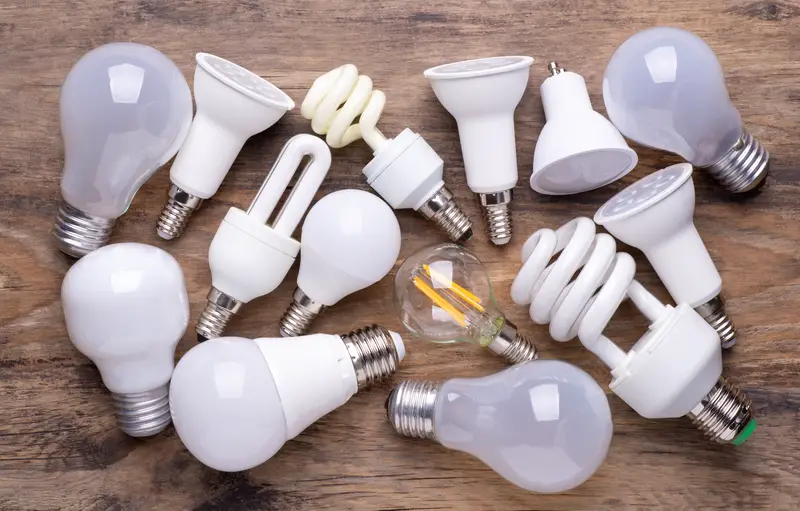
LED bulbs are supposed to last forever, right? That’s what the packaging promises. But if you’re replacing them every few months, you’re not alone. Turns out, several common mistakes can cut their lifespan dramatically. Some of these issues are so simple you’ll wonder why nobody warned you before. The good news is that most of these problems are easy to fix once you know what to look for. Let’s find out what might be killing your LED bulbs and how to stop it from happening.
Too much heat is trapped in your fixtures
LED bulbs don’t like heat, even though they don’t get as hot as old incandescent bulbs. When you put them in enclosed fixtures like those globe lights on ceiling fans or recessed can lights, the heat has nowhere to go. The trapped air gets hotter and hotter, slowly cooking the electronic parts inside the bulb. This is especially bad in recessed lighting where insulation in your attic can block the ventilation holes that are supposed to let heat escape. Pretty soon, that bulb that was supposed to last 25,000 hours dies after just a few months.
The fix is easier than you think. First, check if your recessed lights have insulation blocking the vent holes in your attic. If they do, clear it away carefully. Next time you buy bulbs, look for ones specifically labeled for enclosed fixtures or recessed lighting on the package. These bulbs are built to handle more heat without failing. If you have ceiling fan lights that keep burning out, switching to LED bulbs designed for enclosed spaces will make a huge difference. Just reading the fine print on the box can save you tons of money and frustration.
You’re screwing in the bulbs way too tight
Most people think tightening a bulb as much as possible is the right move. It feels secure that way. But over-tightening actually causes problems. Inside every light socket, there’s a small metal tab at the bottom that carries electricity to your bulb. When you crank down too hard on a bulb, you push this tab flat against the socket base. After you remove that bulb and put in a new one, the flattened tab doesn’t make good contact with the bottom of the new bulb. This creates a small electrical arc that wears out the bulb much faster than normal.
Here’s a better way to install bulbs. Turn on the light switch first, then screw in the bulb until it lights up. Give it just one more eighth of a turn and stop. That’s all the tightness you need. If you’ve already got a depressed tab in your socket, turn off the power at the breaker and use needle-nose pliers to gently bend the tab back up to about a 20-degree angle. This simple adjustment can add years to your bulbs’ lives and prevent that annoying flickering that drives everyone crazy.
Your home voltage is running too high
Electricity is supposed to flow into your house at a steady 120 volts. That’s what your bulbs expect. But in reality, many homes get power that fluctuates up to 130 volts or even higher. This might not sound like much, but it’s enough to fry your bulbs way before their time. Think of it like overclocking a computer. Sure, it works, but everything wears out faster. If you notice bulbs burning out quickly throughout your entire house, not just in one fixture, high voltage is probably the culprit. This affects every type of bulb, but LEDs with their sensitive electronic components really suffer.
You can check this yourself with a multimeter if you have one. Just measure the voltage at a few different outlets around your house. If the readings consistently show more than 125 volts, you’ve found your problem. Unfortunately, fixing this usually requires calling your electric company because the issue is with how power is being delivered to your home. Sometimes they need to adjust a transformer on your street. An electrician can also install a whole-house surge protector to help manage voltage spikes. It’s an extra expense, but it protects all your electronics, not just your light bulbs.
The wiring in your fixtures is loose or damaged
Loose electrical connections create all sorts of problems. When wires aren’t properly secured in your light fixtures or in the junction box above them, electricity doesn’t flow smoothly. Instead, you get voltage fluctuations that act like mini power surges every time you flip the switch. These variations stress the bulb’s components and can burn them out in days rather than years. Sometimes you’ll notice flickering or dimming before the bulb completely dies. Other times it just stops working suddenly. Either way, loose connections are dangerous because they can also create heat that becomes a fire hazard.
Turn off the power at your breaker box before checking any wiring. Remove the fixture from the ceiling or wall and look at the connections in the junction box. All wires should be twisted together tightly and secured with appropriately sized wire nuts. If anything looks loose, scorched, or worn, that’s your problem. While you’re at it, check the wiring inside the fixture itself. Sometimes manufacturers use cheap connections that work loose over time. If you’re not comfortable working with electrical wiring, call an electrician. It’s worth the service call to prevent bulb burnout and potential fire hazards.
You’re using old dimmer switches with new bulbs
Dimmer switches from 10 or 15 years ago were designed for incandescent bulbs. They worked by reducing the voltage going to the bulb, which was fine for a simple filament. But LED bulbs have complex electronic circuits in their base that don’t respond well to old-style dimmers. The outdated technology can damage these circuits, causing your expensive LED bulbs to fail quickly or not work at all. You might notice buzzing sounds, flickering at low settings, or bulbs that just stop working after a few weeks. Some people think the bulbs are defective, but really it’s the incompatible dimmer switch causing the damage.
The solution is straightforward but not free. You need to replace those old dimmer switches with new ones specifically designed for LED bulbs. Look for packaging that says LED-compatible or dimmable LED. These modern dimmers use different technology that works with the electronic components in LED bulbs instead of fighting against them. Make sure you’re also buying dimmable LED bulbs, because not all LEDs can be dimmed. The switch will usually cost between 15 and 40 dollars depending on features, and you can install it yourself if you’re handy. Otherwise, an electrician can swap them out quickly.
Your fixtures vibrate constantly
Ceiling fans, garage door openers, and lights near front doors that slam shut all share one thing in common. They vibrate. A lot. While LED bulbs handle vibration better than incandescent bulbs with their fragile filaments, constant shaking still causes problems. The electronic components inside can work loose from their solder points. The connections between different parts of the bulb can separate. Even the base can become loose in the socket from all that movement. Lights in these high-vibration spots tend to burn out faster than identical bulbs in quiet table lamps or bedroom ceiling fixtures.
First, make sure your fixtures are mounted securely. A wobbly ceiling fan will shake bulbs apart no matter what type you use. Tighten all mounting screws and balance the fan blades if needed. Then switch to LED bulbs or rough service bulbs specifically designed for high-vibration environments. These bulbs have reinforced internal components and better shock absorption. They cost a bit more but last much longer in tough conditions. For garage door opener lights, rough service LEDs are your best bet. They’re built to handle the constant jarring every time the door opens and closes.
You bought cheap bulbs with poor quality components
Not all LED bulbs are created equal. Those super cheap multi-packs at the discount store might seem like a great deal, but they often use inferior components and skip important features like proper heat sinks. The light output might flicker or change color temperature over time as the cheap parts degrade. Poor quality control means some bulbs in the package might be defective right out of the box. These bargain bulbs can overheat easily because they lack adequate cooling systems. What looks like savings upfront turns into wasted money when you’re replacing them every few months instead of every few years. The quality difference between cheap and decent LED bulbs is huge.
Stick with recognized brands that offer warranties. Companies like Philips, GE, Sylvania, and Cree make reliable LED bulbs that actually last as long as promised. Yes, they cost more initially, but the price difference is usually just a few dollars per bulb. When a quality LED lasts five or ten years instead of five months, those extra dollars are absolutely worth it. Check the warranty too. Good manufacturers stand behind their products with multi-year warranties. If bulbs fail early, most companies will replace them for free if you send them back or bring them to the store with a receipt.
You’re using the wrong wattage or bulb type
Every light fixture has a maximum wattage rating printed somewhere on it, usually inside the socket area or on a label. This tells you the highest wattage bulb that fixture can safely handle. Put in a bulb with higher wattage and you’re asking for trouble. The extra heat can damage the socket, melt wire insulation, and definitely kill your bulb quickly. This is less of an issue with LEDs since they use much less power than incandescent bulbs, but using a 100-watt equivalent LED in a fixture rated for 60 watts can still cause overheating. Similarly, putting a regular LED in a fixture that requires a special type like an appliance bulb or enclosed-fixture bulb leads to premature failure.
Always check what your fixture requires before buying bulbs. Look for the maximum wattage rating and any special requirements like dimmable, enclosed fixture rated, or outdoor rated. When shopping, read the package carefully. LED bulbs list both their actual wattage and their equivalent brightness compared to old incandescent bulbs. A 14-watt LED might be equivalent to a 100-watt incandescent in brightness. Use the actual wattage number when checking against your fixture’s limits. If your fixture says 60-watt maximum, you can safely use that 14-watt LED even though it’s labeled as 100-watt equivalent. Taking two minutes to match the right bulb to your fixture prevents burnout and safety issues.
You’re constantly switching CFL bulbs on and off
This one only applies if you’re still using compact fluorescent bulbs instead of LEDs. CFL bulbs have electrodes inside that get stressed every single time you flip the switch. Unlike incandescent or LED bulbs that handle frequent switching just fine, CFLs wear out faster when used in places where lights get turned on and off constantly. Bathrooms, closets, hallways, and motion-sensor lights are terrible spots for CFL bulbs. A CFL rated for 10,000 hours might only give you 4,000 hours if it’s switched on and off dozens of times per day. Each power cycle degrades the electrodes a little bit until they eventually fail completely.
The simple fix is switching to LED bulbs in these high-traffic areas. LEDs don’t have the same problem with frequent switching. They can be turned on and off thousands of times without affecting their lifespan at all. This makes them perfect for bathrooms, closets, motion sensors, and anywhere else lights don’t stay on for long periods. If you have leftover CFL bulbs, use them in places where they’ll stay on for hours at a time, like living rooms or home offices. That way they’ll actually last as long as they’re supposed to. But honestly, LED prices have dropped so much that it makes sense to just switch everything over and be done with it.
Light bulb problems usually come down to one or two fixable issues. Check for heat buildup, loose connections, voltage problems, or incompatible dimmers. Make sure you’re using the right bulb type for each fixture and not over-tightening when you install them. Spending a few extra dollars on quality bulbs from known brands pays off when they actually last for years instead of months. Once you identify and fix whatever’s killing your bulbs, you’ll finally get the long lifespan that LED technology promises.

