

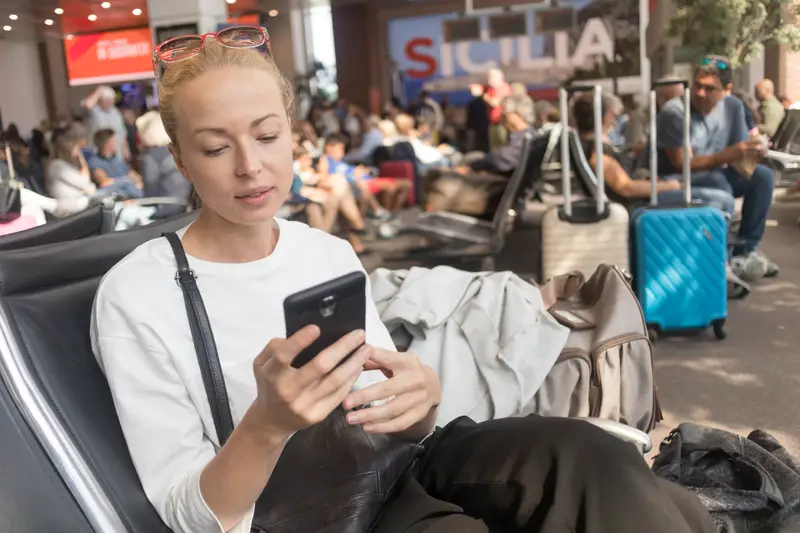
Your phone starts working the second you walk into the terminal. It calls out for networks it has joined before, hoping one answers, and it can shake hands with a stranger’s router before you have even pulled it out of your pocket. The FBI’s own checklist says not to use public or unsecured Wi-Fi at all. One of its field offices went further and named that reflex as the mistake: stop your devices from joining networks on their own.
The Mistake Happens Before You Unlock Your Phone
The FBI’s Portland field office said it flatly in a Tech Tuesday post aimed at holiday travelers on December 17, 2019: “Don’t allow your phone, computer, tablet, or other devices to auto-connect to a free wireless network while you are away from home. This is an open invitation for bad actors to access your device. They then can load malware, steal your passwords and PINs, or even take remote control of your contacts and camera.”
The camera line is the one that makes people sit up, but the rest of it is the real problem. Auto-connect means the decision gets made by software that only checks whether a network name looks familiar. The Bureau’s guidance for travelers is to confirm the name of the network and the exact login steps before you join anything, so you do not land on a fraudster’s hotspot that was built to look legitimate.
A Man Carried A Fake Airport Network In His Hand Luggage
A 44-year-old West Australian man is serving seven years and four months for exactly this. Perth District Court sentenced him on 28 November 2025, with parole eligibility after five years, over fake free Wi-Fi networks and hacking into women’s online accounts to steal intimate material.
The case opened in April 2024, after an airline told the Australian Federal Police that its employees had spotted a suspicious network mimicking a legitimate access point during a domestic flight. On 19 April 2024, investigators searched his hand luggage when he landed at Perth Airport and seized a portable wireless access device, a laptop and a mobile phone.
The gadget, sometimes called a Wi-Fi Pineapple, sat quietly and listened for the probe requests phones broadcast. When it heard one, it instantly created a network with that same name, and the phone connected automatically. Users then got a page asking them to sign in with an email or social media account, and those credentials were saved to his device. The free Wi-Fi never actually worked. There was nothing on the other end.
Forensic analysis turned up thousands of intimate images and videos, personal credentials belonging to other people and records of the fraudulent Wi-Fi pages, the AFP said. The day after the search warrant, he deleted 1752 items from his account on a data storage app and tried without success to wipe his phone remotely. He pleaded guilty. AFP Commander Renee Colley said, “The AFP’s message to the community is to please be vigilant when connecting to any kind of free WiFi network, especially at public places such as airports.”
The Log-Ins To Leave Alone Until You Are Home
When a public hotspot is unavoidable, the FBI’s line is to stay out of sensitive accounts entirely. Its example is your bank account. Its hotel guidance adds Social Security numbers to that list.
Plenty of people ignore it. A 2021 NordVPN survey found about a third of Americans had logged into a bank account over public Wi-Fi. The Bureau’s other travel tips get ignored too: switch off location services, and think twice about posting your trip on social media, because it tells criminals your house is empty.
Hotel Wi-Fi Only Looks Like The Safer Option
In an October 2020 warning, the FBI flagged a specific trend: people who used to work from home started working from hotels, and US hotels, mostly in big cities, began advertising daytime room reservations for guests who want a quiet place to get things done. Pulling sensitive work over hotel Wi-Fi carries more risk than doing it at home, and attackers go after hotels for guest names, personal details and card numbers.
A password at the front desk feels like security. It is not, because hundreds of strangers in the building are typing that exact same password.
FBI recommendations for hotels are specific: confirm the network name with the hotel before you connect, do not connect to anything other than the official network, use the public Wi-Fi setting on your device, do not enable auto-reconnect, and check for the lock icon near the address bar before you browse.
Airports Are Where This Actually Happens
The Perth case is the template. The hardware fit in a carry-on, and the victims did the rest themselves.
Airports combine huge crowds, rushed people and networks that are open or share one password posted at every gate. A 2018 Coronet analysis of the 45 busiest US airports ranked San Diego, Orange County’s John Wayne and Houston Hobby as the most exposed.
The older numbers were blunt. A 2016 Kaspersky analysis of more than 31 million hotspots found a quarter had no encryption or password of any kind.
The Old Warning Has Quietly Gotten Weaker
Here is the part nobody expects. Since 2023, the Federal Trade Commission has told consumers that because encryption is so widespread, connecting through a public Wi-Fi network is usually safe. That is a real reversal of the advice Americans heard for a decade.
It happened because the web changed underneath the warning. HTTPS covers 96% of the top 1,000 websites worldwide, per Internet Society Pulse. The guy with a laptop reading your email out of the air at Starbucks is mostly a story from 2012.
The danger moved up the stack instead. Nothing in that Australian case required breaking encryption. The victims typed their passwords into a fake sign-in page, which is how phishing works in your inbox too. Phishing and spoofing topped the complaint counts in the FBI’s 2025 Internet Crime Report at 191,561, well ahead of extortion at 89,129.
Your Device Can Be Tricked By The Name Alone
Checking the network name is standard advice, and there is a documented flaw that undercuts it. CVE-2023-52424, known as SSID Confusion, describes how the IEEE 802.11 standard can let an attacker trick a device into joining an unintended network, because the network name is not always tied to the keys that secure the session. CISA-ADP scored it 7.4 HIGH. It works only where networks share credentials, as some enterprise and mesh setups do.
Incognito mode does nothing for any of this. It clears history on your device and changes nothing about what leaves it. The other tricks used on shared networks are equally invisible: an attacker can downgrade a connection so encryption drops away, steal the session cookie that keeps you logged in after you have already entered your password, or bend a domain lookup so your bank’s address loads a convincing copy. Plain HTTP traffic to local addresses can only be abused by someone already on your local network, and a hotspot puts them there by design.
What The Bureau Says To Do Instead
The FBI’s preferred answer is not a clever setting. It is to skip the public network and use your own phone as a hotspot for your other devices, with encryption on and a strong password. When that is not possible, run a VPN from a provider you trust, and start it the moment you connect rather than after you are already browsing.
The rest of the Bureau’s checklist is unglamorous and takes about five minutes. Turn off Bluetooth, Wi-Fi, NFC and your personal hotspot when you are not using them, which the NSA recommends too. Turn on two-factor authentication for every critical account. Update your operating system and security software before you leave, and back up your data. The AFP adds one more: once you disconnect, tell your device to forget the network so it never rejoins on its own.
Companies see the cost. In a 2018 iPass survey, 81% of global IT leaders said their staff had been involved in a Wi-Fi-related security incident in the previous year.
The Rule I Would Keep If I Kept Only One
Turn off auto-connect and use your own hotspot. That single pair of habits defeats the attack that actually put someone in prison, and it costs you nothing but a little data. The TSA has also warned travelers on social media to skip free airport Wi-Fi.
If you do end up on airport Wi-Fi, treat any page that asks you to sign in with your email or social account as a red flag and close it. Real networks ask for a room number or a click, not your Gmail password. While you are at it, the Los Angeles County district attorney has warned people off public USB charging points over malware attacks nicknamed juice jacking, so bring your own plug and use the wall outlet.

